Apps and containers
Run self-hosted apps and containers without a shell. Apps and containers are admin-only.
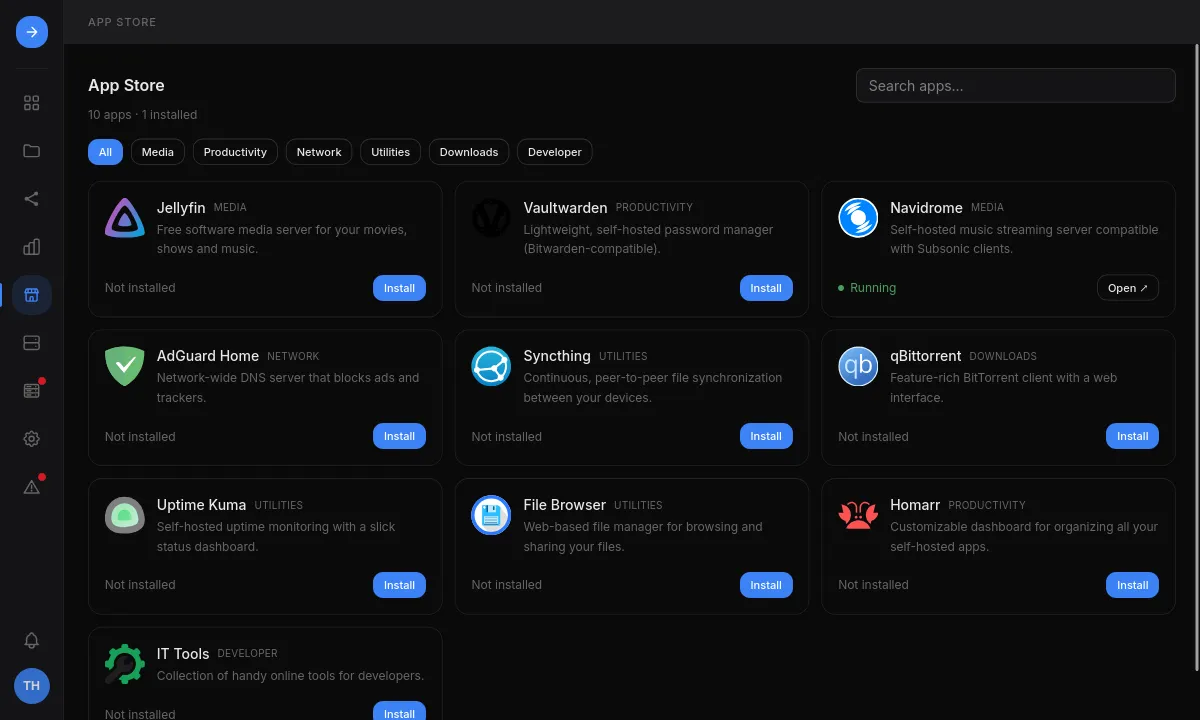
- App Store: a curated catalog with guided installs and pinned image versions. Secret settings can be generated, and a port already in use comes with a free one to switch to. The web port can be given the address of your own reverse proxy or tunnel (with HTTPS or not), which Open then uses; HSI does not set up the proxy. After an install, HSI opens the new app with its logs. Each app has a page with its description, version, license, links to its documentation and source code, what the install asks for, and its first steps (first sign-in, where to put files), which the App Store shows again once the app is installed; the Installed and Updates filters find the apps already on the server.
- Finding apps: search, filter by category, installed apps or updates, and sort installed first, by name or the latest added first. Apps that joined the catalog in the last 60 days are marked New; nothing is ranked by popularity.
- App updates: when a new HSI version ships a newer image for an installed
App Store app, its card and page say so with a link to the release notes, and the
Apps page marks it. Update… previews the one changed line of
compose.yaml, keeps the current file ascompose.yaml.previous, and recreates the app if it runs (a stopped app gets the new image when it starts). Roll back…, on the app’s page, puts the previous image back (later edits to the file are kept) and starts the app. An image changed by hand to another repository or to a newer tag is left alone. - Containers: create, edit, start, stop and delete containers, read their logs, and manage networks, volumes and mounts. An existing Compose file can be imported to prefill a container.
- Deleting an app keeps its data: its containers and
compose.yamlgo, its Docker volumes (databases, caches) stay, and installing it again under the same name uses them. Tick Also delete its data in Docker volumes to delete them too; the preview names them. Folders in Places are never deleted. - Previewed changes: saving, applying, starting, installing and deleting show
the
compose.yamlcontent or its diff and thedocker composecommands before they run. Secret-looking values are masked in the preview and the audit log. - Docker checks: when Docker is not installed, not running or missing the compose plugin, the Apps page and the App Store say so with the command that fixes it.
Every app is a Docker Compose project in /opt/containers/<name>/compose.yaml,
usable with or without HSI. An app that stores data on a volume is stopped when
that volume goes missing.
Without HSI
Section titled “Without HSI”See Docker.